


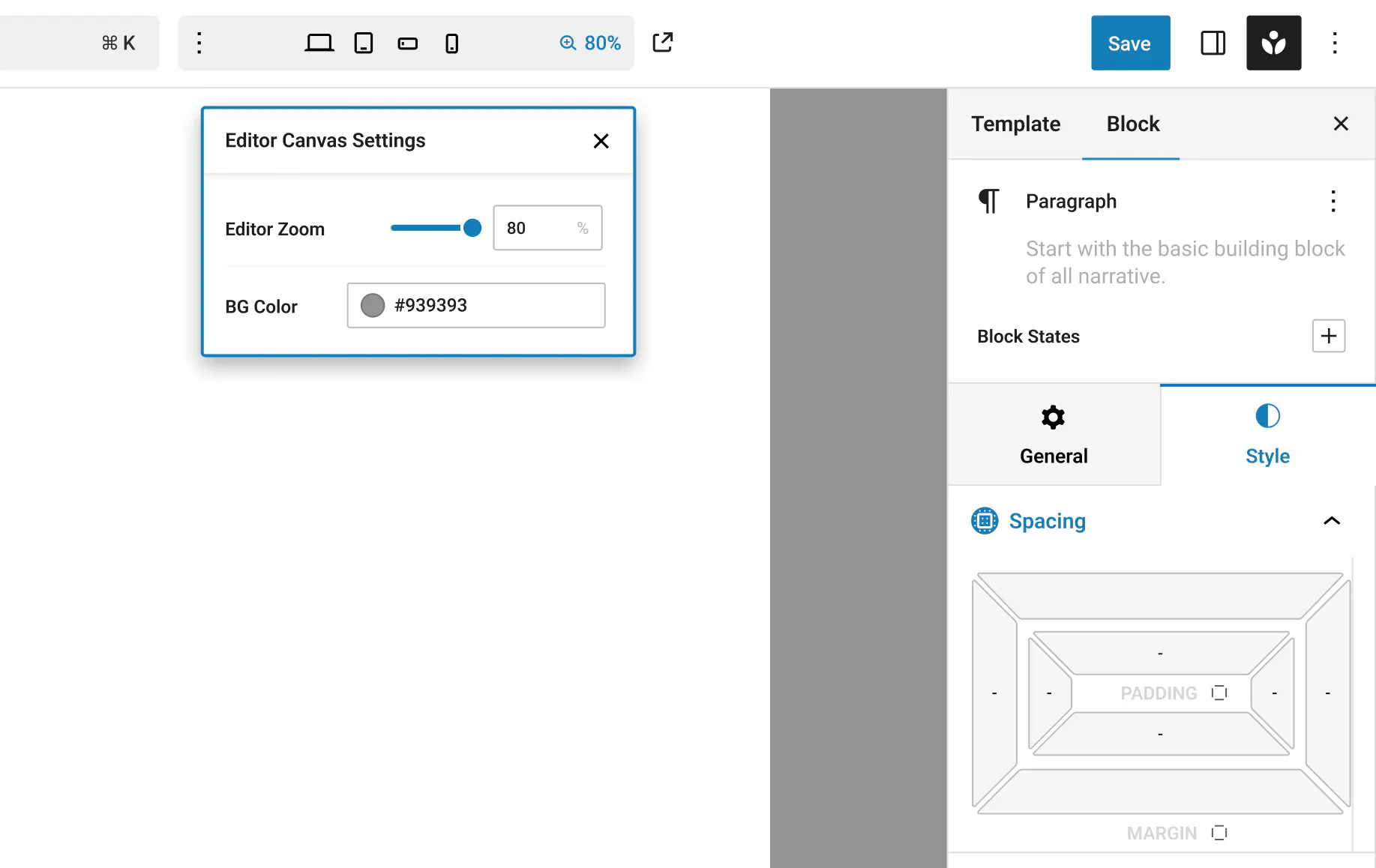
Would it help to have a small “Editor Settings” panel where you can adjust the workspace itself? Two options are in mind:
Editor Zoom – a simple slider that lets you zoom the whole canvas in or out. This could make detailed pixel-perfect work easier on large monitors and reduce scrolling on small screens.
Canvas Background Color – a color picker for changing the blank area behind the page. A darker or lighter shade can improve contrast when designing light or dark sections.
Do these controls sound useful for your daily workflow? Are there other editor-level tweaks you’d like to see—such as grid overlays, ruler guides, or a quick reset button?

